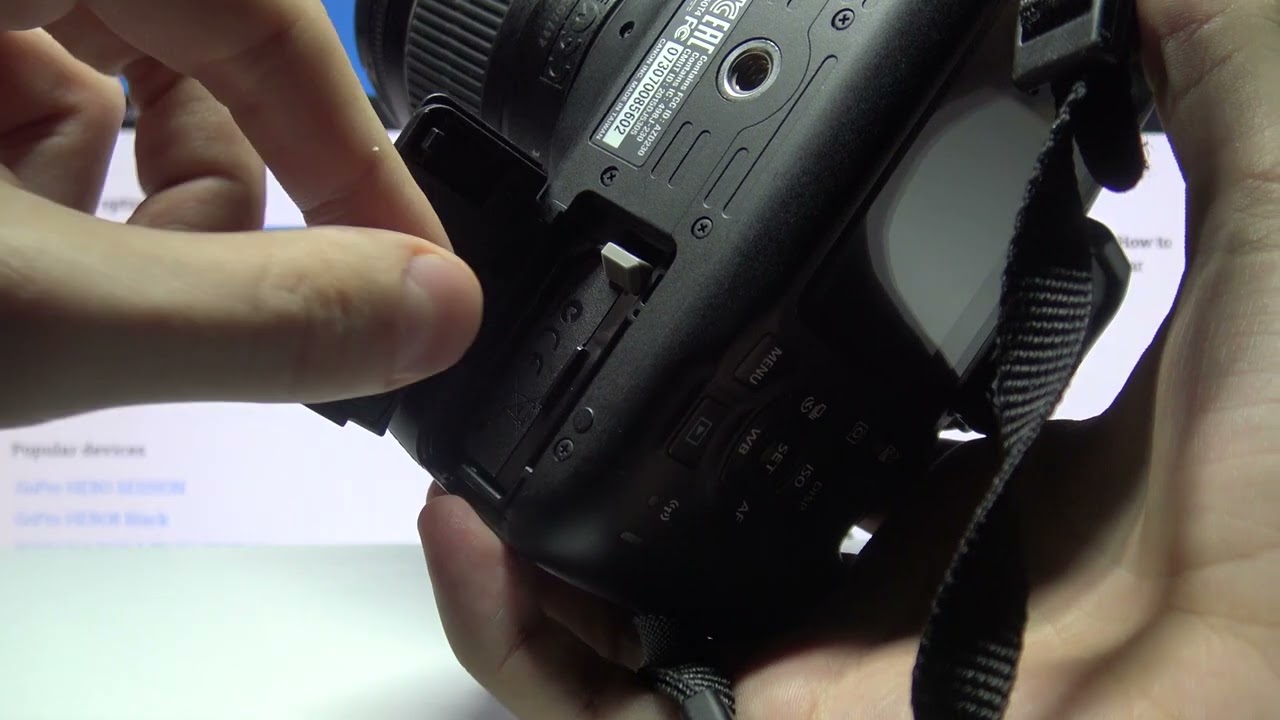
How to Take Battery Out of Canon Rebel T7
The Canon Rebel T7 is a popular entry-level DSLR camera known for its user-friendly design and excellent image quality. If you need to remove the battery from your Canon Rebel T7 for storage or replacement, follow these simple steps.
Step 1: Power Off the Camera
Before removing the battery from your Canon Rebel T7, make sure the camera is turned off to prevent any potential damage to the device or the battery itself.
Step 2: Open the Battery Door
Locate the battery compartment on the bottom of the camera. Slide the latch on the battery door in the direction of the arrow to unlock it. Once unlocked, gently open the battery door.
Step 3: Remove the Battery
Inside the battery compartment, you will find the battery pack. To remove the battery, gently press down on the battery release lever, usually marked with an arrow, while simultaneously pulling the battery away from the camera.
Step 4: Store or Replace the Battery
If you are removing the battery for storage, place it in a cool, dry place away from direct sunlight. When replacing the battery, ensure it is inserted in the correct orientation and securely locked in place.
Step 5: Close the Battery Door
Once the battery is removed or replaced, close the battery door securely by gently pushing it back into place until you hear a click sound, indicating that it is properly latched.
Step 6: Power On the Camera
After completing the battery removal process, you can power on your Canon Rebel T7 to resume shooting or continue using the camera.
By following these steps, you can safely and easily remove the battery from your Canon Rebel T7 whenever necessary.
Remember:
- Power off the camera before removing the battery
- Handle the battery with care to avoid any damage
- Store the battery properly when not in use











